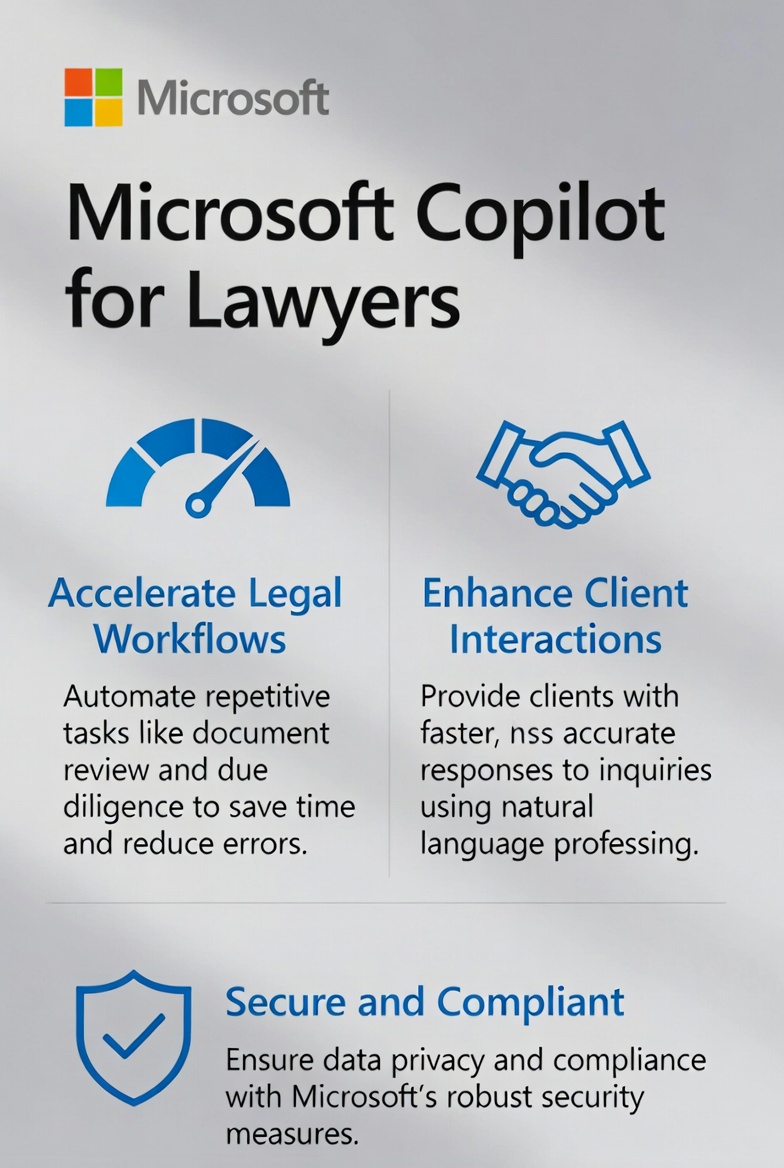

TL;DR
- Microsoft 365 Copilot is the easiest AI to deploy in a law firm because it lives inside Outlook, Word, Teams, and SharePoint, the apps your firm already runs on.
- It is strong at email drafting, document formatting, meeting summaries, and pulling information across your firm’s own files.
- It is weaker at the open-ended legal reasoning lawyers actually need most: analyzing a fact pattern, weighing arguments, or thinking through strategy.
- Pricing is $30 per user per month on top of your existing Microsoft 365 licenses. For a 20-attorney firm, that is $600 per month, or $7,200 per year, before staff seats.
- Most firms turn Copilot on, get mediocre outputs in week one, and quit. The fix is not a better license. It is prompting templates and workflow design.
- For complex reasoning and research work, pair Copilot with Claude or ChatGPT. Use the right tool for the right job.
Microsoft 365 Copilot is probably already sitting in your firm’s inbox right now, blinking at you.
If your firm runs on Microsoft 365, and most mid-sized firms do, you have almost certainly been pitched Copilot by your IT vendor, your Microsoft account rep, or a partner who saw a LinkedIn demo. Maybe you already bought it, maybe a few attorneys are using it, or maybe nobody is. Hmmm.
Here is the assessment most firms do not get from the people selling it to them.
Copilot is the easiest AI tool to deploy at a law firm. It is also the hardest one to use well. Those two truths sit right next to each other, and understanding why is the difference between a $7,000 annual line item that pays for itself and one that quietly gets canceled at renewal.
What Microsoft 365 Copilot Actually Is
Copilot is not a single product. It is a layer of AI features Microsoft has bolted onto its existing productivity apps. When you buy Microsoft 365 Copilot for $30 per user per month, you get AI assistance built directly into:
- Outlook, where it drafts emails, summarizes long threads, and suggests replies.
- Word, where it generates drafts, rewrites sections, and reformats documents.
- Excel, where it analyzes data, builds formulas, and creates summaries.
- PowerPoint, where it turns Word docs into slide decks and rewrites existing slides.
- Teams, where it summarizes meetings, transcribes calls, and captures action items.
- SharePoint and OneDrive, where it searches across your firm’s own documents and pulls information from them.
The model under the hood is GPT-4 class, the same family that powers ChatGPT. Microsoft licenses it from OpenAI and wraps it in their enterprise security layer. That security layer is the actual selling point for law firms. Copilot operates inside your Microsoft 365 tenant, which means your prompts and your data do not leave Microsoft’s compliance boundary the way they might with a consumer AI tool.
For a firm worried about Rule 1.6 confidentiality obligations, that matters. It does not solve the ethical analysis you still have to do. But it makes the conversation easier.
Why Copilot For Lawyers Is the Easiest AI to Deploy
There are three reasons Copilot is easier to roll out than any other AI tool in the legal market.
First, it is already there.
Your attorneys are not learning a new app. They are not signing up for a new account. They are not getting a new bookmark. The Copilot button shows up inside Outlook, inside Word, inside Teams, in the apps they already open forty times a day. Adoption friction is close to zero.
Second, your IT setup is already done.
If your firm is on Microsoft 365 Business Premium or Microsoft 365 Enterprise, your administrator can turn Copilot on for specific users in about ten minutes. There is no separate vendor evaluation, no new integration, no new SSO setup. Everything that already works with Microsoft 365 just works with Copilot.
Third, your data stays in your tenant.
Copilot pulls context from your own Outlook, your own SharePoint, your own OneDrive. It can answer questions like “summarize the last three emails I exchanged with Anderson” or “draft a follow-up based on yesterday’s Teams meeting.” Other AI tools can do impressive things, but they cannot natively reach into your firm’s existing data without significant setup. Copilot can, by default.
That combination of zero friction adoption, zero IT lift, and native access to firm data is genuinely powerful. It is also why your Microsoft rep keeps calling you.
Where Copilot For Lawyers Is Genuinely Strong
The right way to think about Copilot is as an assistant for the work your lawyers already do inside Microsoft apps, not as a legal research engine.
Email Drafting in Outlook
This is where most firms get their first real win. Copilot can take a one-line instruction like “draft a polite follow-up asking for the redlined NDA back” and produce a reasonable first draft inside Outlook. It handles tone shifts well, it can match the formality of your previous emails to a client and it can summarize a long thread in two sentences when you are catching up on a matter you have been copied on for a month.
For a partner who spends two hours a day in their inbox, even a 20 percent speed improvement on email drafting is meaningful. That is the use case Microsoft leads with for a reason.
Word Document Work
Copilot inside Word can take a rough memo and tighten it, take a long brief and produce an executive summary, or take a complete document and reformat it for a client. It is also useful for the boring document work that eats junior associate time. Things like cleaning up formatting, generating tables of contents, and rewriting sections in plain English for a client letter.
It is not good at producing a legal argument from scratch. It is good at improving and reshaping a document that already has substance in it.
Teams Meeting Summaries
If your firm uses Teams for client calls and internal meetings, the meeting summary feature is one of Copilot’s most consistently useful tools. It produces a clean recap of what was discussed, who said what, and what action items came out of the call. For partners who get pulled into ten meetings a week, this alone can justify the cost.
Note that you need to enable transcription and recording for it to work, and you need to be thoughtful about consent and confidentiality before you do.
Excel and PowerPoint
These are not core lawyer tools at most firms, but they matter for marketing, operations, and finance roles. Copilot can build a pivot table from a CSV of intake data, turn a Word memo into a PowerPoint for a partner meeting, or analyze a year of billing data for trends. If you have a marketing director or a firm administrator, they will get value from this faster than your attorneys will.
Cross-App Search Inside Your Firm
This is the underrated feature. Copilot can search across your emails, your OneDrive, your SharePoint, and your Teams chats at the same time and pull together an answer. “What was the agreed-upon scope on the Henderson matter, and who signed off on it?” is a question Copilot can actually answer if the information is in your tenant somewhere. That kind of institutional memory retrieval is hard to get from any other tool.
Where Copilot Falls Short
Now the honest part. The places Copilot struggles are exactly the places lawyers most want AI to help them.
Open-Ended Legal Reasoning
Ask Copilot a question like “given these facts, what is our best argument under Florida premises liability law?” and you will get an answer. It will sound confident. It will be mediocre. Often it will be wrong in ways that take a careful attorney several minutes to spot.
This is not a Copilot-specific weakness. It is a limitation of general-purpose AI in legal work. But it is more pronounced in Copilot than in some alternatives, because Copilot is tuned for productivity tasks, not for the kind of careful reasoning that produces a good legal analysis. Tools like Claude tend to handle this kind of work better, which is why a lot of attorneys end up running both. We wrote about that in our Claude AI guide for lawyers.
Citation Accuracy
Copilot can fabricate citations. Every general-purpose AI tool can fabricate citations. The risk is identical across ChatGPT, Copilot, Gemini, and Claude. The difference is that lawyers tend to trust Copilot a little more because it lives inside Microsoft Word, and the Microsoft brand inspires a level of confidence that the chat interface of ChatGPT does not.
Do not let the familiar interface lull you into skipping verification. Every citation Copilot produces needs to be confirmed against Westlaw, Lexis, or another authoritative source. The attorneys who have been sanctioned for fake citations were not using exotic tools. They were using whatever was easiest. Copilot is easy.
Hallucinated Facts From Your Own Data
This is the weirder failure mode that catches firms off guard. Copilot has access to your firm’s data, which sounds great. But when it summarizes documents or pulls information across emails, it can occasionally mix up matters, attribute statements to the wrong person, or hallucinate details that are not actually in the source documents. You need a verification step for any output that involves client-specific facts, especially for anything going to a client or filed somewhere.
The First Week Is Always Bad
Almost every firm has the same experience. They turn Copilot on. Attorneys try it. The outputs are generic. The summaries are bland. The drafts need so much editing that the attorney decides typing the email from scratch would have been faster. They stop using it.
This is not a failure of the tool. It is a failure of the rollout. Copilot, more than any other AI tool, rewards good prompting and clear workflow design. The default prompts most lawyers type in week one are too short, too vague, and too generic to produce good output. The fix is not a different tool. The fix is prompting templates and a small amount of training.
The Pricing Question
Microsoft 365 Copilot is $30 per user per month, billed annually, on top of your existing Microsoft 365 licenses. There is no free tier. There is no trial in most regions. You commit, you pay, you decide later whether it was worth it.
- For a 10-attorney firm with 5 staff seats, that is $450 per month, $5,400 per year.
- For a 20-attorney firm with 10 staff seats, $900 per month, $10,800 per year.
- For a 50-attorney firm with 20 staff seats, $2,100 per month, $25,200 per year.
Compare that to Claude Pro at $20 per user per month or ChatGPT Plus at $20 per user per month, both of which give individual attorneys substantial AI capability without firmwide commitment. Copilot is meaningfully more expensive on a per-seat basis. What you are paying for is the integration, the security boundary, and the data access, not the underlying model.
Whether that premium is worth it depends entirely on how heavily your firm lives inside Microsoft 365 and how disciplined you are about actually using the tool. Firms that run on Outlook, Word, and Teams all day get more value. Firms where attorneys mostly work in Westlaw, Lexis, and their practice management system get less.
One reasonable approach: roll Copilot out to a small group first. Pick five attorneys who are open to it, give them three months, then evaluate whether to expand. That is a $450 to $900 commitment over a quarter, not a firmwide bet you cannot reverse.
How to Actually Make Copilot Work
This is the part most Microsoft sales decks skip. Turning Copilot on is easy. Getting value out of it requires deliberate effort. Here is what the firms that succeed actually do.
Build a Prompt Library
The single biggest lever is a shared library of prompts that have been tested and tuned for your firm’s work. Not “draft an email.” Something like:
“Draft a polite, professional follow-up email to a personal injury client who has not responded in 10 business days. Use a warm tone consistent with our firm’s voice. Keep it under 150 words. Reference that we are still waiting on medical records release authorization. Sign off as their attorney.”
The first prompt produces a generic AI email, the second produces something close to usable, and the gap between those two outcomes is what separates firms that get value from Copilot from firms that quit.
Build the library. Twenty to forty good prompts will handle 80 percent of the repetitive work your attorneys do. Put them in a SharePoint page. Update them when you find better versions.
Pick Two or Three Workflows, Not Twenty
Firms that try to use Copilot for lawyers everywhere succeed nowhere. Firms that pick two or three specific workflows and get them right see real ROI.
Good starting workflows for most firms:
- Client intake follow-up emails generated from CRM data.
- Meeting summary distribution after every internal case meeting.
- Initial drafts of client status update letters from matter notes.
Get those three working. Then expand.
Train the Users Who Will Actually Use Copilot For Lawyers
The attorneys who get the most out of Copilot are not the most technical ones. They are the ones who took an hour to learn how to prompt it. An hour. That is the entire training requirement. The firms that skip this hour and assume their lawyers will figure it out are the firms that cancel Copilot at renewal.
If you are rolling Copilot out, schedule a one-hour internal training. Show three or four examples of bad prompts versus good prompts. Share the prompt library. Make sure everyone knows where to find it and how to add to it.
Verify Everything Before It Leaves Your Firm
This is not negotiable. Every Copilot output that touches a client, a court, or a counterparty needs human review. That means every citation, every factual claim and every paragraph that includes specifics about a matter.
The ABA’s guidance on AI in legal practice is clear. Your duty of competence under Rule 1.1 does not get delegated to a Microsoft subscription. If Copilot generates something wrong and it goes out under your name, that is on you, not on Microsoft.
How Copilot Stacks Up Against Other AI Tools
The honest answer is that no single AI tool is the best at everything. The firms doing this well in 2026 are using two or three tools, each for the work it handles best.
Use Copilot for: Email drafting, Word document work, Teams meeting summaries, cross-app search inside your firm’s own data, formatting and reformatting, productivity tasks that live inside Microsoft 365.
Use Claude for: Long-document analysis, careful legal reasoning, contract review, research memos, anything where you need the AI to think carefully rather than fast. See our Claude guide for the full breakdown.
Use ChatGPT for: Brainstorming, creative content, marketing drafts, anything where you want a wide range of options generated quickly. ChatGPT is also strong for client-facing content development.
Use legal-specific tools (CoCounsel, Lexis+ AI, Harvey) for: Anything that requires verified legal citations, jurisdiction-specific research, or the kind of analysis that needs to be grounded in a real legal database. These tools cost more and require deeper integration, but they reduce hallucination risk in the work that matters most.
Copilot is the foundation layer. The other tools are specialized instruments. A firm that runs all of them strategically beats a firm that picks one and hopes.
Parting Thoughts On Copilot For Lawyers
Microsoft 365 Copilot is the easiest AI tool to put in front of your attorneys. That is its strength and also its trap. Easy adoption is easy abandonment when the first outputs disappoint.
If your firm runs on Microsoft 365 and you are committed to actually training your team, building a prompt library, and picking specific workflows to invest in, Copilot pays for itself quickly. Email time alone usually covers the cost.
If you are going to turn on Copilot for lawyers, leave it alone, and hope your attorneys figure it out, save yourself the line item.
The firms winning with AI in 2026 are not the ones with the most tools. They are the ones who decided which tool handles which job, trained their people for one hour each, and stuck with it. Copilot for lawyers has a real place in that stack, just not the only place.
For more on building an AI-enabled law firm marketing operation, see our guides on personal injury SEO in 2026 and SEO versus Google Ads for law firms.