


TL;DR
- Grok is xAI’s chatbot, built by Elon Musk’s team and wired directly into X (formerly Twitter).
- Its real strength is speed and live data. If you need to know what’s being said about a topic, a person, or a brand right now, Grok will tell you faster than ChatGPT, Claude, or Gemini.
- Its real weakness is the careful, citation-heavy work most lawyers actually do. Legal research, contract drafting, brief writing? You want a different tool for that.
- Use Grok as a complement, not a primary. Monitoring beats drafting. Listening beats writing.
- The X integration is the differentiator and also the privacy concern. Anything you put in the box may end up training the next model.

What Is Grok?
Grok is the AI assistant made by xAI. It runs at grok.com, inside the X app, and as a standalone iOS and Android app. The current flagship is Grok 4.3, with a cheaper workhorse called Grok 4.1 Fast for high-volume tasks. Free users get roughly 10 prompts every two hours. SuperGrok runs $30 a month, which is the tier most professionals would actually use.
The pitch is simple. Grok for lawyers has real-time access to the X firehose, which means it can pull in posts, replies, and trends as they happen. No other major chatbot does this natively. ChatGPT, Claude, and Gemini all rely on web search tools that lag behind the live conversation, and most of them throttle or skip X entirely because of API costs.
If you want the broader landscape of who’s good at what, our Claude AI for Lawyers guide is the reference point. This post is narrower. It’s about where Grok specifically earns a spot in a law firm’s stack, and where it doesn’t.
Where Grok Is Genuinely Useful for a Law Firm
The honest answer is: a few places, and they’re all about monitoring rather than producing.
Media-facing cases.
If you represent a client in a high-profile matter, you need to know what people are saying in real time. A defamation plaintiff, a celebrity divorce, a corporate executive caught in a scandal, a criminal defendant whose case is trending. Grok can summarize the X conversation around a name or topic in seconds. That’s faster than any social listening tool, and the summary is actually readable.
Defamation and reputation work.
Pull a real-time snapshot of what’s being posted about a client. Pull trend lines on a specific phrase, hashtag, or quote. Identify the original poster if it’s still on the platform. This is the use case Grok was almost designed for.
Crisis response and PR coordination.
When a story breaks, the gap between “something happened” and “we have a statement” is where firms either look competent or look behind. Grok shortens that gap. Ask it what’s being said, who’s amplifying it, and what the framing looks like across the platform.
Topical research where freshness matters.
New legislation moving through a state house, a regulatory announcement, a Supreme Court order from this morning, a settlement announced an hour ago. Grok can pull live commentary and reactions alongside the underlying facts. It will not give you a brief-ready citation, but it will orient you fast.
Marketing intelligence.
If you want to know what other law firms in your market are posting, what topics are getting traction, or what consumer questions are trending in your practice area, Grok can scan that for you. This is a real edge for content planning and generative engine optimization work.
That’s the list. Notice what’s not on it.
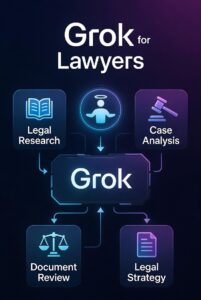
Where Grok For Lawyers Falls Short
Grok is not the tool for the work most lawyers spend most of their day doing. Here’s the short version:
Legal research with citations.
Grok will give you answers that sound confident. It will also occasionally make things up, like every general-purpose AI. The difference is that Grok is tuned more toward speed and personality than toward the cautious, “I’m not sure about this” posture you want when an AI is helping with case law. For citation-heavy work, you want Claude or a legal-specific tool like Westlaw’s CoCounsel, Lexis+ AI, or Paxton. Our Claude guide goes deep on why Claude’s lower hallucination rate matters for this category of work.
Long documents and discovery.
Grok 4.3 has a one million token context window, which is technically competitive. In practice, Grok is not where lawyers are uploading full case files. The workflows aren’t built out, the file handling is clunkier than competitors, and the trust signals around document confidentiality aren’t where they need to be.
Drafting that requires care.
Demand letters, motions, contracts, client emails on sensitive matters. Grok writes fast, but the voice is often punchier than what a law practice needs. You’d spend the time you saved editing tone.
Anything regulated or compliance-sensitive.
Grok’s content moderation has been a moving target. The platform has been through public criticism on outputs that other models would have refused. For a regulated profession with bar advertising rules and Model Rule 1.1 competence obligations, that’s a reason to be cautious about putting it in a primary role.
The Privacy Problem Lawyers Need to Take Seriously
This is the part that doesn’t get talked about enough (yet, anyway).
Grok’s biggest feature is its integration with X. The same integration is also a data flow concern. Anything you type into Grok, especially through X Premium tiers, sits inside an ecosystem where the company has historically used user data for training and where the line between “your chat” and “platform data” is less clean than it is at Anthropic or OpenAI.
For a law firm, that matters in three ways:
First, you cannot put privileged information into Grok. Not client names, not matter details, not facts that aren’t already public. This is true of every general-purpose AI, but it’s more pointed with Grok because of how tightly the product is tied to a public social platform.
Second, if you use Grok inside X itself, your queries can be associated with your X account. That’s a paper trail no firm wants for sensitive research.
Third, the data sharing program that gets developers free API credits also opts their queries into training. If anyone at your firm experiments with the API, somebody needs to read those terms carefully before any client data goes anywhere near it.
The shorthand: treat Grok the way you’d treat asking a question out loud in a crowded coffee shop. Useful for general orientation, not for anything you wouldn’t say in public.
How to Actually Use Grok For Lawyers (Without Blowing Up)
Here’s a realistic implementation that respects what the tool is good at:
- Pick one or two people at the firm who do media monitoring, marketing, or business development. Give them a SuperGrok subscription at $30 a month.
- Use it for monitoring. Track what’s being said about your firm, your top clients, your competitors, and the practice areas you want to own.
- Use it for content intelligence. When you’re planning blog posts or social content, ask Grok what’s trending around your practice areas in the last week.
- Use it for fast orientation on breaking topics. When a client calls about a news story, Grok gets you up to speed faster than scrolling X manually.
- Do not use it for legal research, drafting, document review, or anything privileged. Use Claude or a legal-specific platform for those. The Claude guide covers that stack.
- Write down the rules and share them with everyone on the team. The biggest AI risks at law firms come from staff using tools the leadership doesn’t know about, in ways the leadership wouldn’t approve.
The Verdict On Grok For Lawyers
Grok is not the AI tool that’s going to transform a law firm. Claude does more of the work most lawyers need done. ChatGPT has more integrations. Legal-specific platforms have the trust signals and the workflows.
But Grok does one thing better than anyone: it tells you what’s happening on the open internet right now, in language a human can use. For a firm that handles cases where public perception, real-time information, or media exposure is part of the matter, that’s worth $30 a month and a clearly defined role.
Add it as a complement. Use it for monitoring, not drafting. Keep client information out of it. That’s the whole playbook.
Want a sharper picture of which AI tools actually move the needle for law firms? Start with our practical guide to Claude AI for lawyers. It’s the deeper companion to this one.