

TL;DR
- Claude AI is built by Anthropic using a Constitutional AI framework that prioritizes accuracy and safety, making it one of the most reliable general-purpose AI tools for legal work.
- The latest version, Claude Opus 4.6, features a 1 million token context window that can process entire case files, merger agreements, and discovery documents in a single conversation.
- Claude excels at legal research, document drafting, contract review, client communication, and marketing content creation for law firms.
- It is not a legal-specific tool like CoCounsel or Lexis+ AI. It is a general-purpose AI that happens to be very good at legal tasks when used correctly.
- Claude Pro costs $20 per month. Claude Max runs $100 to $200 per month. Both give lawyers enough capacity to meaningfully change their daily workflow.
- Anthropic launched a Legal Plugin for Claude in early 2026, along with Cowork capabilities that let Claude handle multi-step tasks autonomously.
- Every output Claude produces still needs attorney review. This is not optional. It is an ethical obligation under Model Rule 1.1.
- Law firms using Claude strategically are saving hours per week per attorney, and the gap between adopters and non-adopters is widening fast.
What Is Claude AI?
Claude is a family of large language models built by Anthropic, a company founded by former OpenAI researchers with a specific focus on building AI that is helpful, honest, and harmless. If you have heard of ChatGPT, you already understand the basic concept. Claude is a conversational AI that can read, write, analyze, and reason across a huge range of topics. You type a prompt. Claude gives you a response. Simple enough on the surface.
What sets Claude apart from other AI tools is Anthropic’s approach to training it. Claude is built using something called Constitutional AI. In plain terms, this means the model is trained to follow a set of ethical principles and to self-correct when it drifts from them. For lawyers, the practical benefit is that Claude tends to be more cautious and more transparent about what it does and does not know. When Claude is unsure, it is more likely to say so than to make something up.
That matters. A lot. Multiple attorneys across the country have been sanctioned for submitting AI-generated briefs that cited cases that never existed. Those incidents almost always involved general-purpose AI tools being used without proper guardrails or verification. Claude’s architecture does not eliminate hallucination risk entirely, but it significantly reduces it compared to some competitors. And that lower hallucination rate is one of the main reasons Claude has gained traction in the legal community specifically.
As of 2026, Claude has over 18 million monthly users. It is not the most popular AI tool by raw numbers (ChatGPT still holds that crown), but it has built a reputation as the tool that serious professionals trust for high-stakes work. That includes lawyers, researchers, analysts, and anyone else who cannot afford to have their AI make things up. Claude AI for lawyers is a game changer for those who embrace it.
Why Smart Firms Are Paying Attention to Claude AI for Lawyers
The legal profession’s relationship with AI has shifted dramatically. According to the ABA’s 2026 TechReport, 79% of lawyers now use AI in some capacity. That number was significantly lower just two years ago. The question is no longer whether to use AI, but which tools to use and how to use them responsibly.
Claude has earned a spot in that conversation for several reasons.
The context window is massive.
Claude Opus 4.6 can handle up to 1 million tokens in a single conversation. To put that in perspective, that is roughly 750,000 words. An entire novel. A full set of merger documents. Hundreds of pages of discovery material. You can upload a complete case file and ask Claude to summarize it, identify key issues, or draft a memo based on what it reads. Other AI tools have been increasing their context windows too, but Claude’s ability to maintain accuracy across very long documents is consistently praised by legal users.
Constitutional AI makes it more careful.
Claude is trained to be transparent about uncertainty. It will tell you when it is not confident in an answer rather than generating something that sounds authoritative but is wrong. For lawyers, where a single fabricated citation can lead to sanctions, this matters more than speed or creativity.
Anthropic launched a Legal Plugin in early 2026.
This is a purpose-built integration designed specifically for legal professionals. It bundles domain-specific skills for contract review, legal research, and document analysis into Claude’s existing interface. The plugin does not turn Claude into Westlaw or LexisNexis, but it does make Claude significantly more useful for structured legal tasks right out of the box.
Cowork lets Claude handle multi-step tasks.
Launched in January 2026, Cowork is an agentic feature that allows Claude to complete complex, multi-step projects without constant supervision. For law firms, this means Claude can do things like organize case files, analyze multiple documents in sequence, or compile research across several sources, all in a single workflow. Cowork is available to all Pro subscribers.
The price is reasonable.
Claude Pro costs $20 per month. For a tool that can save an attorney several hours per week, the ROI math is not complicated. Even the Max tier at $100 or $200 per month is a fraction of what firms pay for dedicated legal AI platforms.
How Lawyers Are Actually Using Claude
Theory is nice. Let’s talk about what lawyers are actually doing with Claude on a daily basis.
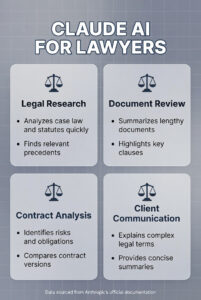
Legal Research
Claude AI for lawyers is especially useful at the front end of legal research, when you are trying to get oriented on an issue quickly. You can upload a relevant statute, a prior brief, or a set of case summaries and ask Claude to identify the key holdings, outline the applicable legal framework, or flag potential counterarguments.
One attorney described the workflow on Reddit: upload a PDF of prior complaints along with the facts of a new case, and Claude can generate a draft complaint that captures roughly 95% of what you need. That is not a finished work product. It is a powerful starting point that saves hours of drafting time.
Claude’s research capabilities work best when you treat it like a very fast, very thorough first-year associate. It can analyze statutes and case law, frame arguments, identify jurisdictional nuances, and clarify complex concepts in plain language. But it needs supervision. Every citation needs verification. Every legal conclusion needs attorney review. This is not a limitation specific to Claude. It applies to every AI tool used in legal work, and it is a core requirement under the ABA’s guidance on AI in legal practice.
If your firm relies heavily on research, Claude works well as a complement to platforms like Westlaw and LexisNexis, not as a replacement for them. Claude can help you form the research question, organize your findings, and draft the memo. Your legal database confirms the citations and validates the precedent. We wrote more about how AI is changing legal research in our comprehensive guide to legal AI.
Document Drafting
This is where Claude AI for lawyers truly shines. Contract drafting, demand letters, motions, client correspondence, engagement letters, settlement agreements, and more. Claude handles structured legal writing with a precision that catches many attorneys off guard the first time they use it.
The key is in the prompting. A vague prompt like “write me a contract” will get you a vague result. A detailed prompt that includes the relevant jurisdiction, the parties involved, the key terms, and the style you want produces output that can genuinely save hours of drafting time. Advanced users create what Anthropic calls “Skills,” which are custom instruction files that encode your analytical frameworks, preferred formats, voice, and professional judgment for specific types of legal work.
In early 2026, attorney Zack Shapiro published an article about building what he called “The Claude-Native Law Firm,” where he described using Claude’s Skills feature to handle transactional contract work. The article was viewed over 7 million times. The approach is straightforward: you create a set of instructions that teach Claude how you want specific types of documents handled, and then Claude applies those instructions consistently every time.
Claude can even work at the XML level inside Word documents, applying tracked changes that are indistinguishable from manual work. That level of formatting control is unusual for a general-purpose AI tool and is part of why Claude has gained a following among transactional lawyers specifically.
Contract Review and Analysis
Claude’s large context window makes it particularly effective for contract review. You can upload an entire agreement and ask Claude to identify key terms, flag unusual provisions, summarize obligations by party, or compare the contract against your firm’s standard playbook.
For M&A due diligence, where reviewing hundreds of contracts manually is unrealistic, Claude can serve as a first-pass reviewer that organizes and summarizes documents before attorneys conduct their detailed review. It will not replace dedicated contract review platforms like Spellbook or Kira Systems for high-volume work, but for firms that do not have the budget for those platforms, Claude fills a meaningful gap.
The important caveat is that Claude is a general-purpose tool. It does not have built-in legal risk modeling. It does not know your firm’s specific risk tolerance or deal terms. And it can miss nuances that a specialized legal AI platform would catch. Treat Claude’s contract analysis as a starting point for attorney review, not as a substitute for it.
Client Communication
Writing client emails, case updates, and intake follow-ups takes more time than most attorneys want to admit. Claude handles this type of communication well, especially when you give it context about the client relationship, the case status, and the tone you want to strike.
You can also use Claude to translate legal concepts into plain language for clients who do not have a legal background. This is particularly valuable for practice areas like family law, estate planning, and immigration, where clients are often dealing with emotional situations and need clear, accessible explanations of what is happening with their case.
Marketing and Content Creation
This is the category that connects most directly to firm growth, and it is where many law firms are underutilizing Claude.
Claude AI for lawyers can draft blog posts, practice area pages, FAQ content, email newsletters, social media posts, and website copy. It can analyze competitor content and help you identify gaps in your content strategy. It can outline an entire content calendar based on the keywords you want to target.
But here is the critical distinction: AI-generated content still needs a human voice and attorney review before it gets published. Google rewards quality content regardless of how it was produced, but quality means accurate, useful, and written for humans. Not just fast. If you are publishing AI content without editing it, you are creating problems, not solving them.
Used correctly, Claude can help a law firm produce three to five times more content without sacrificing quality. That is a significant competitive advantage in a market where law firm content marketing is one of the most effective long-term strategies for generating cases.
If your firm is thinking about how to use AI for marketing specifically, our legal AI guide covers the full landscape of AI marketing tools for law firms, including how Generative Engine Optimization (GEO) is becoming just as important as traditional SEO.
Case Management and Operations
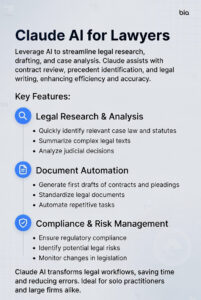
Claude can help with operational tasks like extracting deadlines from documents, summarizing deposition transcripts, creating case timelines, organizing discovery materials, and drafting internal memos. With Cowork enabled, it can handle multi-step projects like “review these five documents, extract the key dates, and compile them into a timeline” without you babysitting each step.
For firms already using practice management platforms like Clio, Claude serves as a supplementary tool for tasks that fall outside your PM software’s capabilities. It fills the gaps between your existing tools rather than replacing them.
Claude vs. ChatGPT: Which One Should Lawyers Use?
This is the question every attorney asks, and the honest answer is that the best firms are using both.
Claude is generally stronger for legal document drafting, contract analysis, and any task where precision and structured output matter more than speed. Its Constitutional AI approach produces fewer hallucinations, and its large context window handles long documents better than most competitors. Claude also tends to produce more conservative, carefully worded output, which is exactly what you want for legal work.
ChatGPT tends to be stronger for creative brainstorming, conversational tasks, and situations where you want a wider range of ideas generated quickly. It also integrates with more third-party tools and has a larger plugin ecosystem.
For confidential client work, Claude AI for lawyers has an edge. Anthropic’s data handling policies are designed with privacy as a priority, and Claude’s approach to data isolation is structurally stronger than some competitors. That said, no general-purpose AI tool should be used for privileged communications without understanding exactly how the platform handles your data. Read the terms of service. Every time.
The smart approach in 2026 is to use Claude when accuracy and document analysis matter most, and ChatGPT (or Google Gemini) when you need speed, creativity, or real-time web access. Neither tool is a complete solution on its own.
What Claude Costs in 2026
Claude AI for lawyers pricing is straightforward.
Free tier: Limited access to Claude’s models with strict message caps. Fine for testing. Not sufficient for professional use.
Claude Pro ($20/month): This is where most solo and small firm attorneys should start. Pro gives you roughly 5x the usage of the free tier, access to all current models including Opus 4.6, Cowork capabilities, and the ability to connect Claude to Google Workspace. For $20 a month, this is one of the highest-ROI investments a lawyer can make in their practice.
Claude Max ($100 or $200/month): Two tiers here. The $100 plan gives you 5x more usage than Pro. The $200 plan gives you 20x more. Both include Extended Thinking for complex reasoning tasks, persistent memory across conversations, and full access to Claude Code for development work. Max is worth it for power users who rely on Claude for multiple hours per day or who need to process very large document sets regularly.
Claude Team ($25 to $150/user/month): For firms with five or more users, the Team plan adds collaboration features, admin controls, SSO, and centralized billing. Standard seats run $25 per user per month (annual). Premium seats at $150 per user per month add Claude Code and early access to new features.
Enterprise (custom pricing): For larger firms that need advanced security, audit logging, SCIM identity management, custom data retention policies, and a larger context window.
The ROI calculation is not complicated. If Claude saves an attorney even two hours per week, and that attorney’s effective hourly rate is $250, the tool is generating $2,000 per month in recovered productivity for a $20 investment. That is a 100:1 return before you account for the quality improvements in work product.
How to Start Using Claude at Your Law Firm
Getting started does not require a technology overhaul. Here is the practical path.
Step 1: Sign up for Claude Pro. Go to claude.ai and create an account. The $20/month Pro plan gives you everything you need to start. Do not overthink this step.
Step 2: Start with one workflow. Pick the task that eats the most time in your practice. For most firms, that is either research, document drafting, or client communications. Use Claude for that one task for two weeks before expanding.
Step 3: Learn to prompt well. The quality of Claude’s output depends almost entirely on the quality of your input. Be specific. Include jurisdiction. Specify the format you want. Tell Claude what role to play (e.g., “You are a senior litigation associate in Florida reviewing a personal injury complaint”). The more context you provide, the better the output.
Step 4: Build Skills for recurring tasks. If you draft the same types of documents regularly, create Skills (custom instruction files) that tell Claude exactly how you want those documents structured, what tone to use, and what standards to apply. This turns Claude from a generic assistant into a tool that works the way you work.
Step 5: Write an AI policy. Even if your firm is just you, put something in writing that covers which tools you use, what data you will and will not enter, and your review process for AI output. This protects you ethically and professionally. We covered governance in depth in our legal AI guide.
Step 6: Verify everything. This is the step that separates responsible AI use from reckless AI use. Every citation, every legal conclusion, every factual claim that Claude generates needs attorney review before it goes anywhere. Period. No exceptions.
Ethical Considerations when Using Claude AI for Lawyers
The ABA’s Formal Opinion 512 lays out the framework. The key obligations are competence, confidentiality, communication, and supervision.
Competence means you need to understand what Claude can and cannot do. You do not need to understand neural networks. You do need to know that Claude can hallucinate, that it does not have access to real-time legal databases unless you provide the data, and that it cannot verify its own citations.
Confidentiality means reading Claude’s data handling policies before you input any client information. Claude Pro and higher tiers offer better data handling than the free tier. Anthropic states that conversations on paid plans are not used to train their models. But you should still avoid entering highly sensitive privileged information into any general-purpose AI tool unless you have confirmed the data handling meets your bar’s requirements.
Communication means being transparent with clients about how AI is being used on their matters. This does not require a formal disclosure every time you use Claude to draft an email. But if Claude is performing substantive legal work like research or document analysis, clients should know.
Supervision means an attorney reviews and takes responsibility for everything Claude produces. The AI generates a draft. The attorney makes it a work product. That distinction is everything.
State bar associations are increasingly issuing their own guidance on AI use. Check your jurisdiction’s rules before implementing any AI workflow. The Maryland State Bar, for example, has published a detailed analysis of Claude specifically and its appropriate use in legal practice.
The Competitive Reality with Claude AI for Lawyers
Law firms that adopt tools like Claude strategically are pulling ahead of firms that do not. They produce more content, respond to leads faster, draft documents in less time, and free up attorney hours for the work that actually requires a lawyer.
The firms that wait for AI to “mature” or treat it as a passing trend are making a strategic mistake. The tools are already mature enough to deliver measurable results. The competitive gap is compounding.
This is not about replacing lawyers. Claude cannot appear in court. It cannot build client relationships. It cannot exercise the professional judgment that defines legal practice. What it can do is handle the parts of lawyering that never required a law degree in the first place, and do them faster than any human.
The firms that figure this out first win more cases, serve more clients, and build more profitable practices. The ones that do not will spend the next few years wondering where their market share went.
If your firm needs help building an AI-integrated marketing strategy that actually generates cases, get in touch. We will show you where the opportunities are and help you capture them.
Frequently Asked Questions About Claude AI for Lawyers
Is Claude AI good for legal research?
Yes, with an important caveat. Claude is excellent at the front end of legal research: summarizing case law, identifying relevant legal principles, framing arguments, and organizing findings. It can process entire PDFs of case files and extract the key holdings and reasoning in seconds. But Claude is a general-purpose AI, not a legal database. It does not connect to Westlaw or LexisNexis. It cannot Shepardize a case. Every citation and legal conclusion Claude produces needs to be verified against an authoritative legal database before you rely on it. The best workflow is to use Claude for speed and organization, then validate everything in your firm’s research platform.
Can I upload legal documents to Claude for review?
Yes. Claude’s 1 million token context window means you can upload entire contracts, briefs, case files, deposition transcripts, and other legal documents for analysis. Claude can summarize the document, identify key provisions, flag potential issues, extract deadlines, and compare terms against your instructions. This is one of Claude’s strongest use cases for law firms. Just be mindful of what you upload. If a document contains privileged or highly sensitive client information, make sure Claude’s data handling policies align with your confidentiality obligations under Rule 1.6.
How does Claude compare to legal-specific AI tools like CoCounsel or Lexis+ AI?
They serve different purposes. CoCounsel (by Thomson Reuters) and Lexis+ AI (by LexisNexis) are legal-specific platforms connected to verified legal databases. They can cite confirmed case law, validate citations in real time, and are built specifically for legal research workflows. Claude is a general-purpose AI that happens to be very capable at legal tasks. It offers a much larger context window, more flexible prompting, and broader use cases (including marketing, operations, and client communication), but it lacks the authoritative legal database connections that dedicated platforms provide. Many firms use both: Claude for drafting, analysis, and operational tasks, and a legal-specific platform for research that requires verified citations.
What is Claude’s Constitutional AI, and why does it matter for lawyers?
Constitutional AI is Anthropic’s training methodology. In simple terms, Claude is trained to follow a set of ethical principles and to self-correct when it drifts from them. For lawyers, the practical benefit is a lower hallucination rate. Claude is less likely than some competitors to fabricate citations, invent statutes, or generate confidently wrong answers. When Claude does not know something, it tends to say so rather than guessing. That transparency is critical in a profession where a single fabricated citation can result in sanctions. Constitutional AI does not make Claude perfect. But it makes it more trustworthy than tools that prioritize confident-sounding answers over accurate ones.
Is it ethical to use Claude AI in my law practice?
Yes, as long as you follow the guardrails. The ABA’s Formal Opinion 512 outlines the framework: competence (understand the tool), confidentiality (protect client data), communication (tell clients when AI is doing substantive work), and supervision (review everything before it goes out the door). Most state bar associations have issued similar guidance. The ethical risk is not in using AI. It is in using it without understanding its limitations, without protecting client information, and without reviewing its output. Firms that use Claude responsibly are well within ethical bounds.
Can Claude AI for lawyers draft contracts and legal documents?
Yes. Document drafting is one of Claude’s strongest capabilities. It can draft contracts, demand letters, motions, client correspondence, engagement letters, settlement agreements, and more. The quality of the output depends heavily on the quality of your prompt. Provide the jurisdiction, parties, key terms, and format preferences, and Claude produces a strong first draft. Advanced users create custom Skills that encode their firm’s drafting standards so Claude consistently produces documents in their preferred style. Every draft still needs attorney review, but the time savings are substantial.
How much does Claude AI cost for a law firm?
Claude Pro is $20 per month and is sufficient for most solo and small firm attorneys. Claude Max runs $100 (5x Pro capacity) or $200 (20x Pro capacity) per month for power users. The Team plan starts at $25 per user per month (annual billing) for firms with five or more users. Enterprise pricing is custom. For context, if Claude saves a single attorney two hours per week at an effective rate of $250 per hour, the Pro plan pays for itself roughly 100 times over every month.
Can Claude help with law firm marketing?
Absolutely. Claude can draft blog posts, practice area pages, FAQ content, email newsletters, social media posts, and website copy. It can analyze competitor content and identify gaps in your content marketing strategy. It can outline content calendars based on target keywords. It can even draft Google Ads copy or help you optimize your PPC campaigns. The critical rule is that AI-generated marketing content still needs a human voice and factual review before publishing. Google rewards quality regardless of how content is produced, but quality means useful, accurate, and differentiated. Not just fast.
What is Claude Cowork, and is it useful for lawyers?
Cowork is Claude’s agentic feature, launched in January 2026. It allows Claude to complete multi-step tasks autonomously. Instead of prompting Claude one step at a time, you can give it a complex instruction like “review these five documents, extract the key dates and parties, and compile them into a timeline.” Cowork handles each step in sequence without requiring you to babysit the process. For lawyers, this is particularly valuable for document organization, case file analysis, and any workflow that involves multiple related tasks. Cowork is available on all Pro and Max plans.
Will Claude replace paralegals or junior associates?
No. Claude changes what paralegals and junior associates spend their time on, but it does not eliminate the need for human team members. Tasks like initial document review, basic research, and drafting routine correspondence can be accelerated significantly with Claude, freeing up human team members for higher-value work. Junior associates who learn to work effectively alongside AI tools will develop stronger skills faster. Paralegals who incorporate Claude into their workflow can handle a larger volume of work without sacrificing quality. The firms that thrive will be the ones that train their teams to use AI as a force multiplier, not the ones that try to replace people with it.
Can Claude AI for lawyers help with law firm SEO?
Yes. Claude can help produce the content that drives organic search rankings, including blog posts targeting specific keywords, practice area pages, city-specific landing pages, and FAQ sections rich with long-tail keywords. It can also help you research competitors, analyze top-ranking content in your practice area, and identify content gaps. For law firms that need to produce content at scale, Claude is one of the most effective tools available. Pair it with a solid SEO strategy and you have the foundation for consistent organic growth.
Is Claude safe for handling confidential client information?
Claude Pro and higher tiers offer stronger data handling than the free version. Anthropic states that conversations on paid plans are not used to train their models. However, Claude is still a third-party platform, and confidentiality obligations under Rule 1.6 require you to understand exactly how any tool handles client data before using it. For routine, non-privileged tasks, Claude AI for lawyers is generally appropriate. For highly sensitive privileged communications, most bar ethics opinions recommend additional caution. Read Anthropic’s terms of service, understand where data is processed and stored, and make an informed decision based on your jurisdiction’s rules.
What is Generative Engine Optimization, and how does Claude help?
Generative Engine Optimization (GEO) is the practice of optimizing your online presence so that AI tools like ChatGPT, Perplexity, and Google AI Overviews cite your firm when generating answers. As more potential clients use AI search tools to find lawyers, firms need to think about being referenced in AI-generated answers, not just ranking in traditional search results. Claude can help you create the type of structured, authoritative content that AI systems prefer to cite. This includes well-organized FAQ sections, clear practice area pages, and content that demonstrates expertise and authority. GEO is still emerging, but the law firms building for it now will have a significant head start. We covered this in depth in our legal AI guide.
How do I write effective prompts for Claude AI for lawyers?
The quality of Claude’s output is directly proportional to the quality of your prompt. Here are the fundamentals: be specific about jurisdiction, include relevant facts and context, tell Claude what role to play (“You are a senior litigation associate reviewing a personal injury complaint in Florida”), specify the output format you want, and include any constraints (“Do not exceed 500 words” or “Use formal tone appropriate for a motion”). For recurring tasks, build Skills that encode your firm’s standards. If you are drafting a demand letter, include the type of case, the injuries, the applicable statute, and the tone you want. The more context you provide, the closer Claude gets to a usable first draft.
Should my law firm use Claude or a dedicated legal AI platform?
It depends on your budget and your needs. Dedicated legal AI platforms like CoCounsel and Lexis+ AI offer verified legal databases, citation validation, and purpose-built legal workflows. They are ideal for firms that can afford them and that prioritize legal research accuracy above all else. Claude is a more versatile, more affordable option that handles research, drafting, operations, marketing, and client communication. Many firms start with Claude because the entry cost is low and the use cases are broad, then add a dedicated legal platform as their AI maturity grows. The two are complementary, not mutually exclusive. If budget is a concern, start with Claude Pro at $20 per month and build from there.
What are Claude Skills, and how do you integrate them with Claude AI for lawyers?
Skills are custom instruction files that teach Claude how you want specific types of work handled. Think of them as a detailed brief to a new associate: here is how we draft demand letters, here is the format we use for contract reviews, here is our firm’s voice and tone for client communication. Once you create a Skill, Claude applies those instructions consistently every time you invoke it. Law firms use Skills for contract drafting, motion templates, client intake summaries, and marketing content. They are one of the most powerful features for firms that do repetitive work across similar matters, and they represent the difference between using Claude as a generic chatbot and using it as a firm-specific tool.
How does Claude handle multiple jurisdictions?
Claude has broad knowledge of legal frameworks across all 50 states and federal jurisdictions. When you specify the jurisdiction in your prompt, Claude tailors its output accordingly, referencing relevant statutes, procedural rules, and legal standards for that jurisdiction. However, Claude’s knowledge has a cutoff date, and it does not access real-time legal databases. For jurisdiction-specific research, always verify Claude’s output against current statutory and case law in your jurisdiction. Claude works best as an accelerator for multi-jurisdictional work, helping you quickly compare frameworks across states or identify relevant differences, with your legal research platform providing the authoritative confirmation.