
If you only fix one marketing channel this quarter, fix your Google Business Profile.
I’ve audited hundreds of law firm GBP listings over the years, and the pattern is almost always the same. The firm is spending $4,000 a month on Google Ads, $2,500 on SEO, and another $1,200 on a website refresh. Meanwhile, their Business Profile has the wrong primary category, three blurry photos from 2019, no service descriptions, and the last post was published when masks were still mandatory.
That neglected profile is the single biggest reason they’re not showing up in the local map pack. And the map pack is where the calls live.
This is the guide I wish someone had handed me ten years ago when I started doing this work. It’s everything I do when I take over a law firm’s GBP, in the order I do it, with the specific category selections, the photo strategy that actually moves rankings, the review system that survives a busy practice, and the multi-location playbook that most agencies get wrong.
Grab a coffee. This is the long one.
Why GBP Is the Highest-ROI Channel for Local Law Firms
Before the tactics, the math.
When someone in your city searches “personal injury lawyer near me” or “divorce attorney [city],” Google shows three things on the results page in this order:
- Paid ads (the Local Service Ads at the very top, then traditional Google Ads)
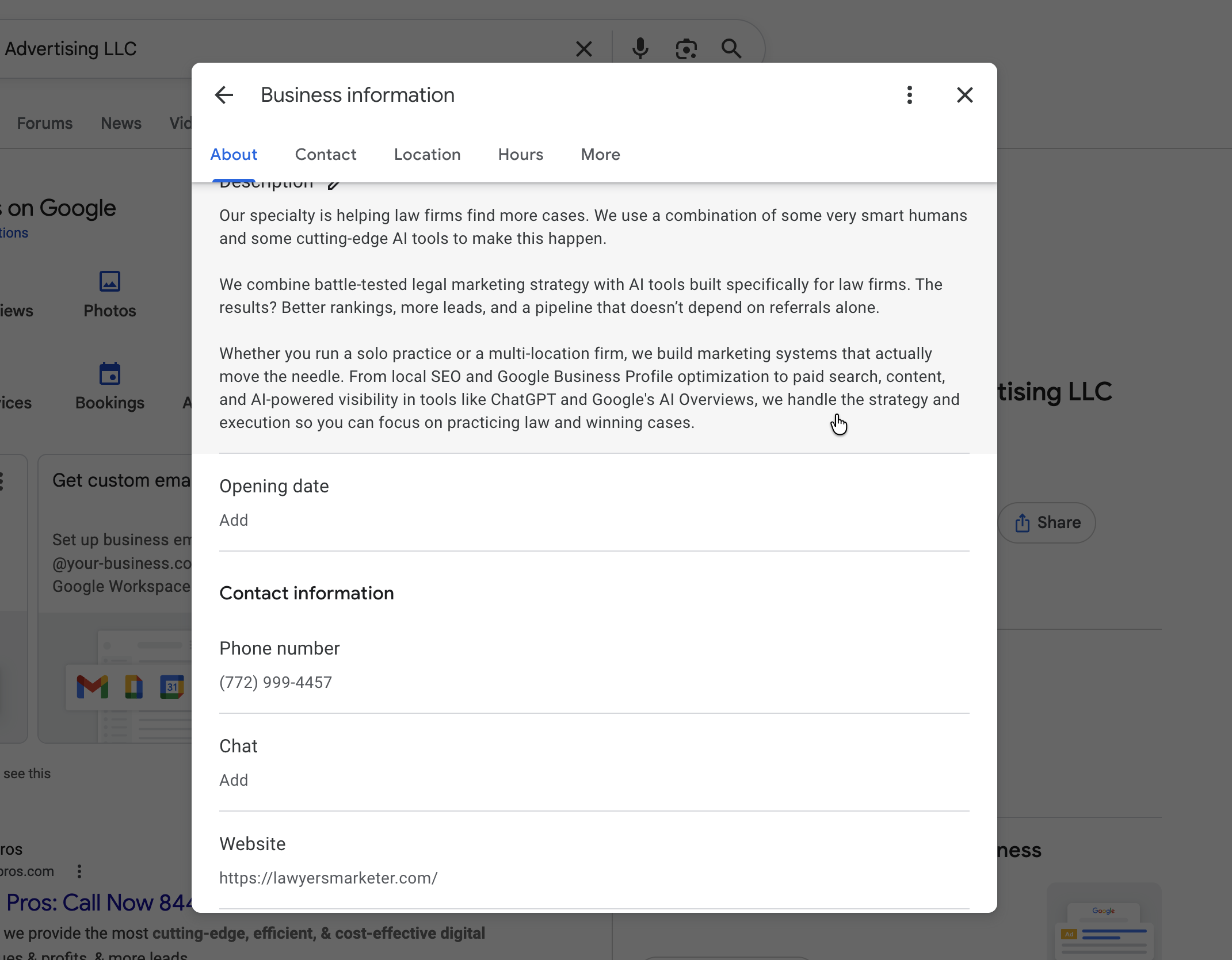
- The local map pack (three GBP listings with a map)
- Organic blue links
The map pack gets roughly 44% of all clicks on local intent searches, according to the most recent BrightLocal data. Organic results below the pack split the rest. Paid ads get a sliver.
Here’s what that means in dollars. If you’re a personal injury firm in a mid-sized market and a single signed case is worth $25,000 in fees, ranking in the map pack for ten relevant queries can mean the difference between two cases a month and ten. You don’t need fancy attribution software to see this. Pull your call tracking data and look at where calls came from before and after a GBP overhaul. The lift is obvious.
And here’s the kicker: a fully optimized GBP is free. You’re not paying Google for the listing. You’re paying with attention and consistency. Most firms won’t put in the work, which is exactly why the firms that do dominate their markets.
The Foundation: Claim, Verify, and Lock Down Your Profile
Before optimization, you need control.
Claiming Your Profile
Go to google.com/business and sign in with the Google account that should own the listing. This matters more than people think. Don’t claim a law firm’s profile under a marketing manager’s personal Gmail. Use a dedicated firm account that survives staff turnover. I’ve cleaned up too many situations where a fired paralegal still owned the keys to the kingdom.
If a profile already exists for your firm (which it almost always does, Google creates them automatically), you’ll claim it rather than create a new one. If a duplicate exists, you’ll need to merge or remove it. More on that in the troubleshooting section.
Verification
Google verifies law firms a few different ways:
- Postcard verification. A physical postcard with a code arrives at your office in 5 to 14 days. Most common method.
- Video verification. Google asks you to record a short walkthrough showing your office signage, business license or letterhead, and equipment that proves you operate there. This has become the default for new listings in 2024 and 2025.
- Phone or email verification. Available for some established profiles but rare for law firms.
- Instant verification. If you’ve already verified the same business in Google Search Console, sometimes Google offers this. Don’t count on it.
For video verification specifically, prepare before you start. Have your bar admission certificate, firm letterhead, business license, and a clear shot of your office signage ready. The video needs to be one continuous take. Google rejects choppy recordings.
Lock Down Access
Once verified, add managers immediately. Under “Users” in your GBP dashboard, give your marketing person “Manager” access (not Owner). Keep Owner status with a partner or principal. If you work with an outside agency, give them Manager access too, and revoke it when the relationship ends.
Turn on two-factor authentication on the owner account. Law firm GBPs get hijacked more than you’d expect. Recovery takes weeks.
The Profile Itself: Field-by-Field Optimization
Now the real work begins. I’m going to walk through every field in the order Google’s dashboard presents them. Don’t skip any of these.
Business Name
Use your legal business name exactly as it appears on your bar license, secretary of state filing, and signage. Don’t keyword-stuff. “Smith & Jones” is fine. “Smith & Jones Personal Injury Lawyers Best in Dallas” will get you suspended.
The only legitimate exception: if your registered DBA includes a descriptor (like “Smith Law Group” or “Jones Family Law”), use that exactly. Google checks against your other public records.
Primary Category
This is the most important field on your entire profile. The primary category tells Google what kind of business you are and which queries you should rank for.
Most law firms should pick from a short list:
- Personal Injury Attorney for PI firms
- Family Law Attorney for divorce, custody, family
- Criminal Justice Attorney for criminal defense (yes, this is the right category, not “Criminal Defense Lawyer”)
- Estate Planning Attorney for wills, trusts, probate work
- Business Attorney for transactional and corporate practice
- Bankruptcy Attorney, Immigration Attorney, Employment Attorney, Real Estate Attorney, Tax Attorney, Divorce Lawyer, Workers’ Compensation Attorney, Social Security Attorney as needed
The default “Lawyer” or “Law Firm” category is almost always the wrong choice. It’s too broad. You’ll compete with every legal practice in your city instead of ranking for the cases you actually want.
I’ll cover practice-specific category strategy in detail below. For now, just know: pick the most specific category that matches your highest-value cases.
Secondary Categories
You can add up to nine secondary categories. Use them, but use them honestly. Each secondary category should reflect actual services you provide. If you’re a PI firm that occasionally handles wrongful death and product liability, those make sense. If you tack on “Real Estate Attorney” because you closed one transaction in 2022, you’re diluting your relevance signals.
A good rule: a secondary category is justified if you’d take a client whose primary need matches that category.
Address and Service Area
Two paths here, and you have to choose correctly.
Storefront business. You have a physical office where clients visit you. Use your street address, set your business hours, and skip the service area field.
Service-area business. You meet clients elsewhere or only handle remote work. Hide your address and define a service area by city, ZIP code, or radius.
Hybrid (most law firms). You have an office where some clients come, but you also serve the surrounding area. Use your address as the primary location AND define a service area. Google allows this.
For multi-county or multi-city service areas, list each city or county individually rather than using a radius. Specific cities tend to perform better in local rankings than radius-based service areas, in my experience.
A note on virtual offices: if your “office” is a UPS Store mailbox, a coworking space you visit twice a year, or a registered agent address, don’t list it. Google has gotten very good at detecting fake addresses, and law firms get suspended for this regularly. Either get a real office or run as a service-area business.
Hours
Set your real hours. Then set special hours for every holiday, every year, in advance.
Most firms ignore special hours. Then on the day after Thanksgiving, when half their staff is out, the profile still says “Open” and they get a one-star review from someone who couldn’t reach a human. Special hours take ten minutes to set up for the year. Block out federal holidays plus the Friday after Thanksgiving and the week between Christmas and New Year’s at minimum.
If you offer 24/7 emergency consultations (common for criminal defense and PI), use the “Open 24 hours” option for those days you actually staff a phone line. Don’t claim 24/7 if your answering service just takes messages.
Phone Number
Use a tracked local number, not a toll-free.
This is one of the most common mistakes I see. Firms use their main 800 number on GBP because that’s their “marketing line.” Big mistake. Local numbers send a stronger geographic relevance signal to Google. Toll-free numbers don’t carry the same weight.
If you use call tracking (you should), make sure your tracking number is a Dynamic Number Insertion (DNI) setup that swaps the number for users while keeping a static number visible to Google’s crawlers. Talk to your call tracking provider, CallRail and CallTrackingMetrics both handle this correctly. Otherwise, use the local number that matches your physical address.
NAP consistency, which is name, address, phone, has to match across your website, GBP, and major citation sites. We’ll get to that in the citations section.
Website URL
Link to your homepage by default. Some firms get clever and link to a city-specific or practice-specific landing page. That’s fine if your homepage is weak, but most of the time, your homepage is what Google expects.
For multi-location firms, link each location’s GBP to its dedicated location page on your site, not the homepage. More on this below.
Appointment URL
If you use online scheduling (Calendly, Acuity, your CRM’s booking widget), add it here. This creates a “Book online” button on your profile that converts surprisingly well, especially for practices like estate planning and family law where the first step is a consult.
Services
This field is criminally underused.
Google lets you list every service you offer with a name, description, and price (price is optional). Each service is essentially a mini landing page inside your profile. Google uses these to match queries: someone searching “uncontested divorce lawyer” is more likely to see your profile if “Uncontested Divorce” is a listed service with a thoughtful description.
Add 15 to 30 services. For each:
- Use a query-style name (what someone would search)
- Write a 200 to 300 character description that answers the question “what does this involve?”
- Skip the price unless you have flat-fee work where transparency is a competitive advantage
I’ll give practice-specific service lists below.
Products
Most law firms shouldn’t bother with the Products field. It exists for retail businesses. Some firms use it to highlight flat-fee packages (estate planning bundles, business formation packages, expungement services). If that fits your model, fine. Otherwise, skip it.
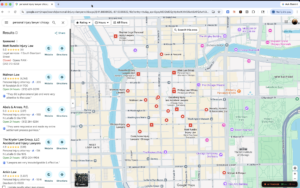
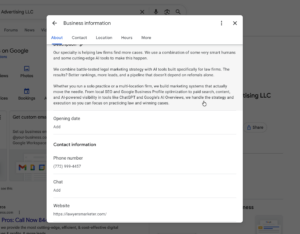
Business Description
You get 750 characters. Use them.
Don’t write generic puffery. Write something a potential client would actually want to read. Lead with who you help and what makes your firm a good fit. Mention your city or service area. Mention your years of experience or notable credentials. Avoid superlatives (“the best,” “the top”) because Google’s guidelines technically prohibit them, and competitors will report you.
A solid template:
[Firm name] helps [target client] in [city/area] with [practice area]. Since [year], [founder/firm] has [specific outcome or focus]. Our [team description] handles [specific case types], including [examples]. We [unique value: free consults, contingency fees, multilingual staff, etc.]. Call for a [type of consultation].
Edit ruthlessly. Read it out loud. If it sounds like marketing copy, rewrite it.
Opening Date
Set your firm’s actual opening date. This is a small relevance signal but a real one. Established businesses get a slight edge in local rankings.
Attributes
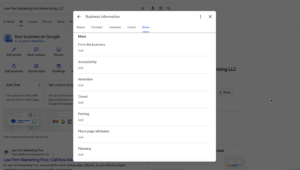
Attributes are Google’s flexible field for things that don’t fit elsewhere. Set every attribute that applies:
- Identifies as women-owned, veteran-owned, LGBTQ+ owned, or Black-owned (huge for client matching, and these show up as badges on your profile)
- Online appointments
- Online estimates
- Free Wi-Fi
- Wheelchair accessible entrance and restroom
- Gender-neutral restroom
- Languages spoken (set this for every language any attorney or staff member is fluent in)
Languages especially matter. A firm with “Spanish-speaking attorney” attributed will rank higher for “abogado de [practice area]” searches in Spanish-speaking markets.
Photos: The Most Underrated Ranking Factor
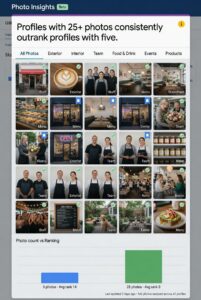
I’ve A/B tested this on dozens of accounts. Profiles with 25+ high-quality photos consistently outrank otherwise-equivalent profiles with 5 photos. Photos drive engagement, engagement drives rankings.
Here’s the photo set I install on every law firm GBP I take over:
Logo.
Square, 250×250 minimum, on a transparent or white background. This is the small thumbnail that appears on your profile.
Cover photo.
Wide, 1024×576 or larger, that represents your firm. The exterior of your office, your team in front of the office, or a clean professional shot of your conference room all work. Avoid stock photos. Google probably can’t tell, but humans can.
Exterior shots (3 to 5).
Your building from the street. The entrance with signage. The parking lot or area showing how clients find you. Different angles, different times of day if possible.
Interior shots (5 to 8).
Your reception area. Conference rooms. Private offices (without confidential documents visible). The hallway. The waiting area with magazines and coffee. Natural light always wins.
Team photos (5 to 10).
Headshots of every attorney. Group shots of the team. Candid shots of attorneys with clients (with permission and signed releases). The lead attorney at their desk. Real human faces drive trust signals like nothing else.
Action shots (3 to 5).
An attorney on the phone. A consultation in progress (staged with a team member). A team meeting around a whiteboard. These signal an active, real practice.
Content shots (ongoing).
Charity events, community involvement, awards, courthouse visits, speaking engagements. These get added over time and keep the profile fresh.
Upload photos in batches over time, not all at once. Google rewards consistent activity. Aim for two to five new photos per month.
A few specific rules:
- No watermarks. Google strips them anyway and may flag your photos.
- Geotag your photos before uploading (most phones do this automatically; check your camera settings).
- Use real file names. “smith-law-conference-room.jpg” beats “IMG_3924.jpg” in tiny but real ways.
- Never upload photos with confidential information visible. Case files, client names on whiteboards, computer screens with active work. This sounds obvious. It happens constantly.
Reviews: The Ranking Factor That’s Also a Sales Tool
Reviews do two jobs. They influence your ranking in the local pack, and they influence whether someone clicks through after they see your profile. Both matter.
How Many Reviews Do You Need?
Look at the top three results in the map pack for your primary keywords. Their review count is your floor. If the top three firms have 47, 82, and 124 reviews, you need 100+ to compete reliably.
Quantity matters, but recency matters more. A firm with 30 reviews from the last 90 days will often outrank a firm with 200 reviews where the most recent is from 2022. Google’s algorithm decays old reviews.
Building a Review System That Doesn’t Die
Most firms try to “remember to ask for reviews.” That fails within two weeks. You need a system that runs without anyone thinking about it.
The system I install at every firm:
- Define the trigger. When does a happy client get asked? Most firms use case closure (settlement, will signed, divorce finalized, charges dismissed). Some use a milestone earlier in the case for longer matters.
- Automate the ask. Use a tool like NiceJob, Birdeye, GatherUp, or even just Mailchimp to send a templated request 1 to 3 days after the trigger. The request should include the direct GBP review link (you can generate this from your dashboard, format: g.page/r/[your-id]/review).
- Train the closer to mention it. When a paralegal or attorney calls with the final settlement check or final document, they should say: “We’re going to send you a quick email with a link to leave us a review on Google. It takes about 90 seconds and it really helps other people find us. Would you be willing to do that?”
- Follow up once. Three to five days after the first email, send one polite follow-up. Then stop. Don’t nag.
- Respond to every review. Within 48 hours. Five-star reviews get a thank you and a specific reference to the work you did. Negative reviews get a measured, professional response that addresses the concern without violating confidentiality. Never argue. Never explain the case. Never name names.
Review responses are public-facing copy. Treat them like marketing assets, because they are.
A Word on Review Gating and Incentives
Don’t filter clients by asking “would you leave us a review?” before sending the link. Google considers this gating, and they’re cracking down on it.
Don’t offer incentives. No discounts, no gift cards, no contest entries. Google’s terms of service prohibit it, your bar association probably prohibits it, and the reviews can be removed if reported.
Just ask everyone, professionally, every time. The percentage of happy clients who actually leave reviews will be enough.
Handling Negative Reviews
You will get negative reviews. Some will be from clients who lost their case, some will be from people who never hired you (opposing parties, family members of clients, scammers) and some will be from former employees. It can be frustrating, to say the least.
For legitimate negative reviews from real clients, respond once, professionally, with empathy and an invitation to discuss offline. Never disclose anything about the representation.
For fake reviews (from non-clients), flag them through Google’s dashboard. The success rate is maybe 30%. If Google won’t remove it, respond with a measured note: “We have no record of representing anyone by this name. If you believe this is a misunderstanding, please contact our office directly.” Future readers will see right through it.
For reviews that include defamatory or false statements about your firm, talk to a media or defamation attorney. Removal through legal channels is sometimes possible.
Posts: The Free Top-of-Profile Real Estate
GBP Posts are Google’s version of social media updates that appear directly on your profile. Most law firms ignore them. They shouldn’t.
Posts come in three types:
- What’s New. General updates, news, blog post promotion, firm announcements.
- Event. Webinars, free clinics, speaking engagements with start and end dates.
- Offer. Free consultations, limited-time pricing, packages.
Aim for one post per week minimum. Each post should:
- Open with a hook (don’t bury the lede)
- Run 150 to 300 words (Google allows more, but engagement drops)
- Include a relevant high-quality image
- End with a CTA button (Learn More, Sign Up, Call Now, Book)
- Link to a specific page on your site, not the homepage
Topics that work for law firms:
- Recent case results (with proper disclaimers and no identifying details)
- Common client questions answered briefly
- Local news or law changes that affect your client base
- Free resources you offer (guides, checklists, calculators)
- Community involvement and charity work
- New attorney announcements or office expansions
- Holiday hours and reminders
Posts expire after seven days for “What’s New” types and at the end date for events and offers. They keep your profile looking active, which is its own ranking signal.
Q&A: The Section Everyone Forgets
The Questions and Answers section on your profile is open to the public. Anyone can post a question. Anyone can answer.
This means competitors and frustrated former clients can leave hostile questions on your profile if you don’t actively manage it.
Here’s the play:
- Seed your own Q&A. Post 5 to 10 of the most common questions clients actually ask, then answer them yourself from the firm’s account. “Do you offer free consultations?” “Do you handle cases on contingency?” “What areas do you serve?” This pre-empts hostile questions taking the top slot.
- Get notified. Turn on email notifications for new questions. Most firms don’t even know this section exists, let alone that questions are sitting there.
- Answer fast. When a real prospect posts a question, answer within 24 hours. Helpful, complete, professional answers convert.
- Flag and report abuse. Spam questions, defamatory questions, and questions that violate Google’s policies can be flagged for removal.

Practice-Area Specific Category Strategy
Generic GBP advice fails because law firms aren’t generic businesses. The category, services, and content strategy that ranks a PI firm will not rank an estate planning firm. Here’s the practice-by-practice playbook for the five biggest practice areas.
Personal Injury
Primary category: Personal Injury Attorney
Secondary categories to consider: Trial Attorney, Wrongful Death Attorney, Workers’ Compensation Attorney (if you handle comp), Social Security Attorney (if you handle SSDI), Law Firm
Services to list:
- Car Accident Claims
- Truck Accident Claims
- Motorcycle Accident Claims
- Slip and Fall Cases
- Premises Liability
- Wrongful Death
- Catastrophic Injury
- Brain Injury Cases
- Spinal Cord Injuries
- Dog Bite Claims
- Pedestrian Accident Cases
- Bicycle Accident Cases
- Uber and Lyft Accidents
- Insurance Bad Faith
- Free Case Evaluation
Content strategy: PI is the most competitive vertical on GBP. Photos of accident scenes (anonymized), settlement check ceremonies (with releases), and team members on local TV news drive engagement. Post weekly about case results, with proper disclaimers. Reviews matter enormously here. You need volume.
Family Law
Primary category: Family Law Attorney
Secondary categories to consider: Divorce Lawyer, Child Custody Attorney, Adoption Attorney, Mediator (if you offer mediation services), Estate Planning Attorney (if you handle related work)
Services to list:
- Uncontested Divorce
- Contested Divorce
- High-Asset Divorce
- Child Custody
- Child Support
- Spousal Support
- Prenuptial Agreements
- Postnuptial Agreements
- Adoption Services
- Paternity Cases
- Modification of Custody Orders
- Modification of Support Orders
- Domestic Violence Protection Orders
- Mediation Services
- Collaborative Divorce
- Initial Consultation
Content strategy: Family law clients research extensively before reaching out. Trust signals win. Photos of female and male attorneys both (clients self-select on attorney gender constantly), conference rooms that look private, and the team in casual settings. Posts should educate without giving legal advice: “What to bring to your first divorce consultation,” “How custody is determined in [state],” “Do I need a prenup?”
Criminal Defense
Primary category: Criminal Justice Attorney
Secondary categories to consider: DUI Attorney, Trial Attorney, General Practice Attorney
Services to list:
- DUI Defense
- DWI Defense
- Drug Possession Defense
- Drug Trafficking Defense
- Assault Defense
- Domestic Violence Defense
- White Collar Crime Defense
- Federal Criminal Defense
- Theft and Burglary Defense
- Sex Crime Defense
- Juvenile Defense
- Expungement Services
- Probation Violations
- Bond Hearings
- Free Consultation
Content strategy: Criminal defense clients often search at 2am from a holding cell or from home in panic. The profile needs to convey availability and confidence. “Available 24/7” attribute matters. Reviews mentioning specific case outcomes (charges dismissed, reduced, etc.) are gold. Posts should reassure: “What to do if you’ve been arrested,” “Your rights during a traffic stop.” Avoid bragging tone. Confidence, not cockiness.
Estate Planning
Primary category: Estate Planning Attorney
Secondary categories to consider: Probate Attorney, Elder Law Attorney, Trust Attorney, Tax Attorney (if you handle estate tax)
Services to list:
- Last Will and Testament
- Revocable Living Trust
- Irrevocable Trust
- Special Needs Trust
- Power of Attorney
- Healthcare Directive
- Living Will
- Probate Administration
- Trust Administration
- Estate Tax Planning
- Asset Protection Planning
- Business Succession Planning
- Medicaid Planning
- Guardianship Proceedings
- Estate Plan Review
Content strategy: Estate planning clients are older, more deliberate, and more price-sensitive than clients in other practice areas. Flat-fee transparency converts well here. List prices on your services if you offer flat-fee packages. Photos of comfortable, accessible offices matter (older clients notice stairs and lighting). Posts about life events (“Just had a baby? Here’s what to update in your estate plan”) drive consults.
Business Law
Primary category: Business Attorney (or Corporate Attorney depending on your focus)
Secondary categories to consider: Contract Attorney, Real Estate Attorney (if relevant), Tax Attorney, Employment Attorney, Trademark Attorney
Services to list:
- Business Formation
- LLC Formation
- Corporation Formation
- Operating Agreements
- Shareholder Agreements
- Contract Drafting
- Contract Review
- Mergers and Acquisitions
- Business Litigation
- Commercial Lease Review
- Intellectual Property Protection
- Trademark Registration
- Employment Agreements
- Independent Contractor Agreements
- Business Succession Planning
Content strategy: Business clients vet you the same way they vet a CPA or banker. The profile needs to convey sophistication. Office photos should look professional rather than warm. Post about industry-specific issues affecting local businesses (“New employment law changes for [state] small businesses”). LinkedIn engagement matters more here than other practices, and posts can cross-promote.
Multi-Location Firms: The Playbook Most Agencies Get Wrong
If your firm has more than one office, you need a separate GBP for each location. One profile cannot rank in multiple cities. Period.
But “separate profile” doesn’t mean “duplicate profile.” Each location needs distinct content and signals.
One Profile Per Location
Create a profile for each physical office. Each profile gets:
- Its own street address (real, not virtual)
- Its own local phone number (not the same toll-free for every location)
- Its own primary category (can match across locations or differ if practice mix differs)
- Its own service area (defined around that office)
- Its own photos (taken at that location, of that team)
- Its own reviews (asked from clients served at that location)
- Its own posts (referencing local issues and events)
- Its own website URL (a dedicated location page on your site, not the homepage)
Location Pages on Your Website
Each GBP should link to a unique page on your website that mirrors and reinforces the GBP. The page should include:
- Location-specific NAP that exactly matches the GBP
- Embedded Google Map showing that location
- Photos of that office
- Bios of attorneys based at that office
- Reviews from clients served at that location
- Local content (cases handled in that county, courthouse information, local resources)
Don’t just publish a thin location page with your phone number and address. Google’s algorithm gives weight to location pages that genuinely serve that market.
Avoiding Duplicate Content Issues
Many multi-location firms make the mistake of duplicating their main service descriptions across every location page, just swapping the city name. Google sees this as low-quality.
Each location page needs at least 30% unique content. Local case studies, attorney bios specific to that office, location-specific FAQ sections, and photos all help.
The Bulk Management Trap
Google offers bulk management for businesses with 10+ locations. It’s a powerful tool, but it tempts firms into copying everything across profiles. Resist. Manage in bulk where it makes sense (services, attributes) but customize photos, posts, and reviews per location.
For firms with 2 to 9 locations, manage each profile manually. The bulk tool isn’t worth it at small scale.
Service-Area Overlap
If your two offices are in the same metro, define service areas that don’t fully overlap. Chicago and suburbs is fine if one office handles the Loop and one handles the North Shore. Both claiming all of Cook County is asking for one to suppress the other.
Citations and NAP Consistency
Your GBP doesn’t exist in isolation. Google cross-references your business information across the web to verify legitimacy.
NAP (name, address, phone number) consistency across major directories is a real ranking factor. Your information should match exactly across:
- Your website (especially the contact page and footer)
- GBP
- Yelp
- Avvo
- Findlaw
- Justia
- Lawyers.com
- Super Lawyers (if listed)
- Local chamber of commerce
- State and local bar association directories
“Exactly” means down to abbreviations. If your GBP says “Suite 200” and Yelp says “Ste 200” and your website says “#200,” fix it. Pick one format and update everywhere.
A free tool like BrightLocal’s NAP checker or Moz Local will scan your major citations and flag inconsistencies. Cleaning these up is tedious but moves rankings.
Common Suspensions and How to Avoid Them
GBP suspensions for law firms happen for a handful of reasons:
Keyword stuffing in business name.
Adding “Personal Injury Lawyer” to your registered name “Smith Law” without it being your DBA. Fix: use only your registered name.
Virtual office or PO Box address.
Using a non-staffed location. Fix: get a real office or run as a service-area business.
Multiple profiles at the same address.
Two attorneys sharing space cannot each have separate profiles at the same address unless the practices are clearly distinct. Fix: consolidate or use distinct legal entities with separate addresses.
Duplicate profiles.
Old profile from a previous firm location, profile created by Google automatically that conflicts with your claimed one. Fix: report duplicates through the Business Profile Help Community.
Sudden major changes.
Changing your business name, address, and phone all at once trips Google’s spam filters. Fix: make changes one at a time over weeks.
If you do get suspended, file a reinstatement request through your dashboard. Provide documentation: your bar license, business license, lease or property documents, utility bills at the address. Reinstatements take 5 to 30 days. Don’t create a second profile during the wait. That makes it worse.
Tracking What Actually Matters
GBP gives you Insights inside the dashboard. Most are vanity metrics. The numbers that matter for a law firm:
Direct searches vs discovery searches.
Direct searches are people who searched for your firm by name. Discovery searches are people who found you through a category or service search. Discovery searches are the ones GBP optimization grows.
Calls.
Track week over week. A well-optimized profile generates calls. If calls aren’t growing 30 to 60 days into an optimization, something’s off.
Direction requests.
Not critical but worth watching (especially if your office is in an odd location).
Website clicks.
Watch the click-through rate from profile views to website clicks. Healthy law firm CTR runs 5 to 15% depending on practice area.
Photo views.
A jump in photo views after you upload new photos confirms Google is featuring them. A decline means your photos aren’t getting prioritized, usually a sign your profile needs other work.
Layer call tracking on top of GBP Insights. Your dashboard tells you Google’s view of activity, and your call tracking tells you what’s actually generating revenue.
Your 30-Day GBP Action Plan
If you read this far and you’re now staring at a profile that needs work, here’s the order I’d attack it in:
Week 1: Foundation
- Audit ownership and access
- Verify or re-verify if needed
- Fix business name to match legal registration
- Set primary category correctly
- Add 5 to 9 secondary categories
- Confirm address, hours, phone, website
Week 2: Content
- Write a strong 750-character description
- Add 15 to 30 services with descriptions
- Set every applicable attribute
- Set special hours for the next 12 months
- Upload 25 to 30 photos in the categories described above
Week 3: Engagement
- Set up review request automation
- Respond to every existing review
- Seed 5 to 10 questions in Q&A and answer them
- Publish your first weekly post
- Audit and fix NAP across major citations
Week 4: Compounding
- Establish the weekly post cadence
- Establish the photo upload cadence (2 to 5 per month)
- Set up tracking dashboards (calls, website clicks, direct vs discovery)
- For multi-location firms, repeat the entire process for every location
After 30 days, you should see early movement: more direct searches, more calls, photo views climbing. Real ranking lift in the map pack typically takes 60 to 120 days, longer in competitive markets.
Want a Free GBP Audit?
If you’ve read this and you’re looking at your firm’s profile thinking “we have work to do,” I’ll do an audit for you.
Lawyers Marketer offers a free Google Business Profile audit for law firms. We’ll review your profile against the 60+ optimization points covered in this guide, benchmark you against the top three competitors in your market, and send you a prioritized fix list.
No sales call required. Just a written audit you can act on yourself or hand to your marketing team.
GBP is the highest-ROI channel most law firms have available. Get this one right and the rest of your local marketing gets easier.